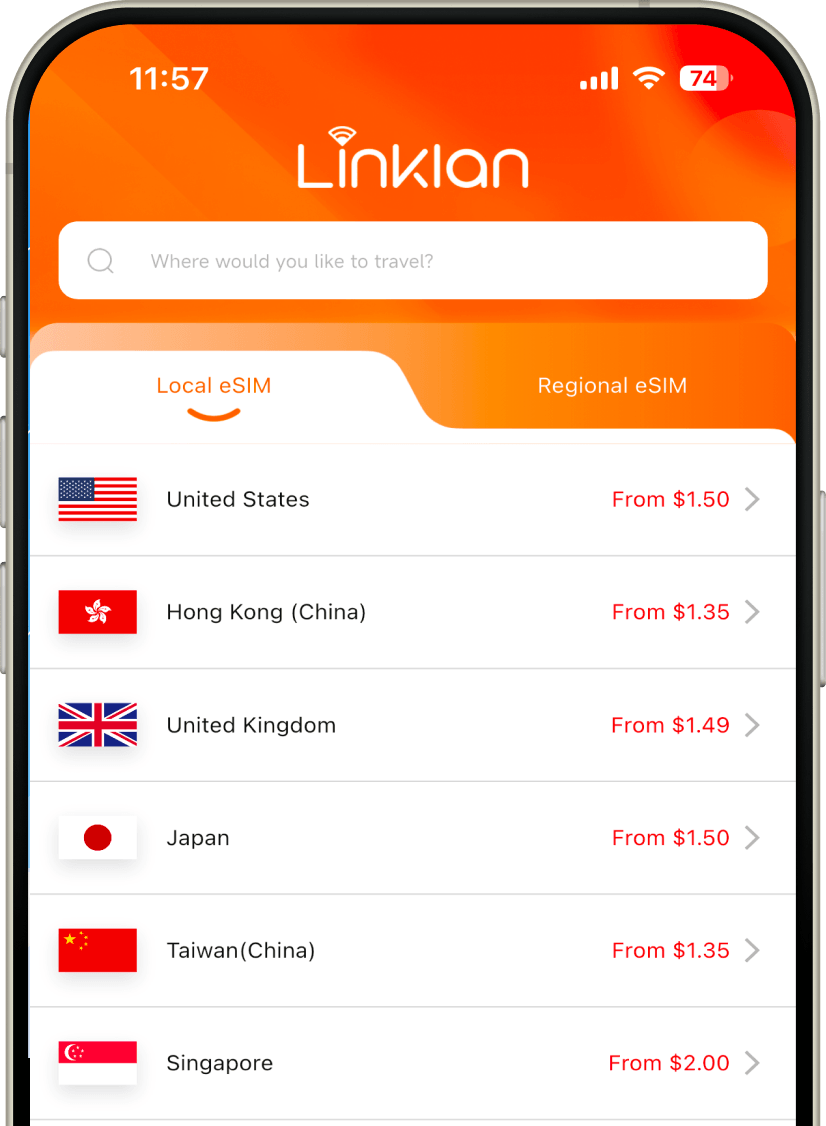




180+ Countries Covered

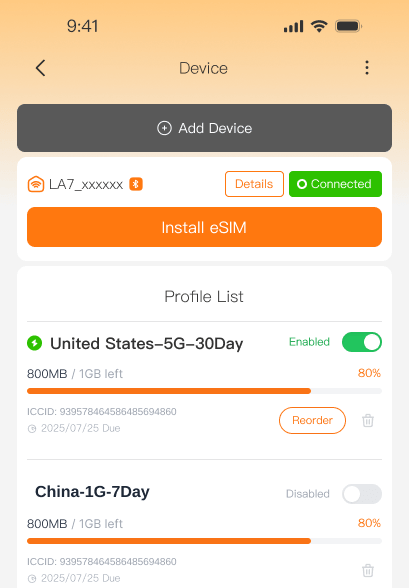
Manage Everything in One App
Install Fast. Connect Easily.
More Value with Hotspot
Explore Travel eSIM Plans by Destination
Find local, regional, and global eSIM plans for your destination, then choose the data plan that fits your trip.
No destinations found.
Why Choose Linklan as Your Travel eSIM Provider?
Unlimited Data & Flexible Plans
Choose unlimited data for worry free travel or a fixed data plan that fits your trip and budget.
Reliable Local Network Connections
Automatically connect to the best available local network for stable, consistent, and high-speed data from the moment you arrive.
No More Expensive Roaming
Avoid costly roaming charges with clear, upfront pricing. You’ll know exactly what you’re paying from the start, with no hidden fees.
Easy eSIM Installation
Install through a supported Linklan App method or QR code. Installation activates the plan and starts its validity; data access requires supported coverage.
Keep your number and apps
Continue using your usual social and messaging apps while traveling. Your contacts, accounts, and everyday experience stay the same.

24/7 Customer Support
Need help or have questions? Our chat support team is available around the clock and just a message away.


What is an eSIM?
An eSIM is a digital SIM built into your device, allowing you to connect to mobile networks without inserting a physical card. You can add multiple eSIM plans, switch between them when needed, and get connected within minutes. It works with eSIM-compatible smartphones, mobile Wi-Fi devices, and other supported connected devices.




Enjoy esim data in 3 steps
Select your destination and the esim data plan that fits your trip.

Follow the setup guide in the Linklan App to complete installation.
Turn on your eSIM when you arrive and connect instantly.
Share Your eSIM Data Across Devices
Pair your Linklan eSIM plan with an unlocked eSIM hotspot to share your mobile data with phones, laptops, tablets, and other Wi-Fi devices.
Frequently asked questions
Everything you need to know before you buy.
Is my device compatible with eSIM?
eSIM compatibility depends on your device model, region, and carrier restrictions. Check our compatibility guide before purchasing to confirm whether your device supports eSIM.
When should I install and activate my eSIM?
We recommend installing your eSIM before departure while you have a stable internet connection. Activation timing may vary by plan, so check the plan instructions before traveling.
Can I use my physical SIM and Linklan eSIM at the same time?
Yes, if your device supports Dual SIM. You can keep your physical SIM for calls and messages while using Linklan eSIM for mobile data.
Can I use Linklan eSIM plans with a Linklan Unlocked eSIM Hotspot?
Yes. Compatible Linklan eSIM plans can be installed on Linklan Unlocked eSIM Hotspots, allowing you to share one data plan across multiple devices.https://linkslan.com/en/products/
How can I get an eSIM?
You can purchase a Linklan eSIM through the Linklan website (https://esim.linkslan.com/) or in the Linklan App. Simply choose your destination, select a data plan, and complete your purchase.
When will I receive my eSIM?
Once you purchase your eSIM, you’ll receive a confirmation email immediately with a QR code and manual installation details. You can also view your order in the Linklan App and install or manage your eSIM there.
Can I top up my eSIM?
Yes. You can top up your eSIM through the Linklan Center or directly in the Linklan App.
How can I check my remaining data?
You can check your remaining data through the Linklan Center or directly in the Linklan App.
What should I do if I delete or lose my eSIM QR code?
If you cannot find your QR code, contact our support team through live chat or email us at service@linkslan.com. We will resend the QR code to your email address.
Do I need to enable data roaming on my device?
Yes. To ensure your Linklan eSIM connects to the supported local network, enable data roaming in your device settings. This will not create additional roaming charges when the Linklan eSIM is selected for mobile data.
What speeds can I expect with the Linklan eSIM?
With your Linklan eSIM, you can connect at 4G, LTE, and 5G speeds, just like a local data plan. However, speeds may be slower in remote areas or places with limited network coverage.
Can I keep my WhatsApp number?
Yes. You do not need to change anything. Your WhatsApp number, contacts, and conversations will remain the same when using your Linklan eSIM.
Can I share data with other devices?
Yes. All Linklan eSIM plans support hotspot and data sharing, so you can connect other compatible devices using your phone’s hotspot.
Can I buy an eSIM for multiple countries?
Yes. If you’re traveling to several countries, you can choose a Linklan regional eSIM plan instead of purchasing a separate eSIM for each destination. Regional plans cover multiple countries within areas such as Europe, Southeast Asia, Latin America, Africa, and the Middle East.
Can I use my Linklan eSIM in my home country?
Yes, as long as your home country is included in the plan’s coverage. Check the supported destinations before purchasing to make sure the eSIM works where you need it.
How can I get a refund?
You may request a refund in the following situations:
1. You purchased the eSIM without checking device compatibility.
2. You canceled your trip or no longer need the eSIM.
3. You experienced connection issues that could not be resolved. Depending on the situation, a full or partial refund may be provided.
Once approved, the refund will be returned to your original payment method. Processing usually takes 5–10 business days.
For full eligibility details and terms, please read our Refund Policy.
How can I delete my Linklan eSIM after using my data?
You can delete the eSIM from your device settings, but you do not need to. Once your plan expires or the data is used up, the eSIM will stop working automatically.
How do I activate my Linklan eSIM?
In most cases, your Linklan eSIM activates automatically when it is turned on and connects to a supported network.
We recommend keeping the eSIM turned off until you arrive at your destination, especially when using a regional plan.
For iPhone:
Go to Settings > Cellular / Mobile Data, select your Linklan eSIM, and turn on the line.
For Android:
Go to Settings > Connections / Network & Internet / Mobile Networks, open SIM Manager or Manage eSIM, select your Linklan eSIM, and turn it on.
Once you arrive, enable the Linklan eSIM and data roaming to connect to the local network.
Can I call and send SMS with my Linklan eSIM?
Some Linklan eSIM plans support calls and SMS. Please check the plan details before purchasing to confirm whether these features are included. For data-only plans, you can still use apps such as WhatsApp or iMessage.
Linklan App
Everything You Need, in One App
Explore eSIM plans for 180+ countries, install and manage your eSIMs, track data usage, and top up whenever you need.